Be clear about what you need from Vidu
Ask yourself which of these jobs you're doing:
- The same character across many shots, such as a mascot appearing in ten scenes. Vidu's reference-to-video is designed for this, and we don't have an equivalent feature. Stay with Vidu.
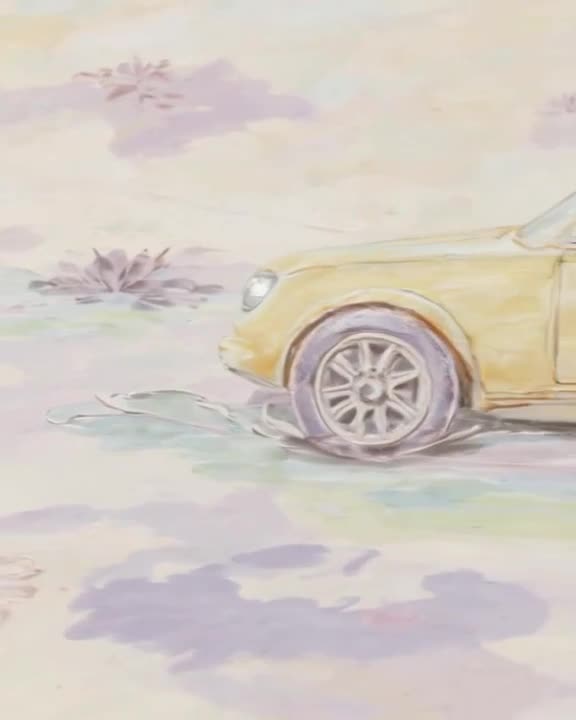
- Animating one image at a time: a product photo, a painting, a portrait, a landscape. Our image-to-video handles this directly.
- Turning a text idea into a short clip. Text-to-video with a prompt enhancer covers it.
Most people searching for an alternative land in the second or third group.
Vidu AI alternative compared
| Feature | generatorvideo.ai | Vidu |
|---|
| Price model | Pay per video; top-ups from $20 | Credit-based free and paid plans — check pricing page |
| Cost per video | $1 flat per clip (3-30 s) | ~15-20 credits for a 5 s Vidu Q1 clip (2025 hands-on test) |
| Free tier | 3 free videos after signup | Yes, credit-based free plan |
| Subscription required | No | Varies by model — check pricing page |
| Max clip length | Up to 30 s (8 s on free videos) | Varies by model — check pricing page |
| Resolution | HD presets per aspect ratio | Varies by model — check pricing page |
| Watermark on free | No (watermark-free MP4) | Varies by model — check pricing page |
| Public feed | Yes, public by default; Unpublish anytime | Varies by model — check pricing page |
| Formats | 9:16, 16:9, 1:1, 4:5, 2:3 presets | Varies by model — check pricing page |
Prices as of September 2026 — check Vidu's official pricing page before buying; we don't quote its plan prices because they change.
Make it now — first 3 videos free
Then $1 per video, no subscription, no watermark.
Create a videoA practical trick for consistency without references
You can still keep a look steady here. Generate or design one strong start image of your character, then run image-to-video from that same image for each shot and change only the motion in the prompt: "turns to camera and smiles," "walks out of frame to the left," "waves from the doorway." Because every clip starts from the same frame, the character's face and outfit stay anchored at the start of each shot.
It's not a replacement for a dedicated reference system, and faces can drift as a clip moves on. For short social sequences of 3 to 30 second clips, it works well enough for many creators. Our image-to-video prompt guide has more examples.
Costs you can predict
Every clip is $1, whether you pick Pro for quality or Turbo for speed. Top-ups start at $20 for 20 videos, and credits never expire.
Worked example: an Etsy seller wants each of 12 product photos turned into a short 4:5 Instagram clip. That's $12 of a $20 top-up; the other 8 credits sit on the account for the next batch of listings. No plan to pause, no credits resetting.
Before your first generation
Use a sharp, well-lit start image; it matters more than the prompt. Describe motion and camera, not what's already visible in the picture. Pick a preset that matches where the clip will live: 9:16 for TikTok, Reels and Shorts, 4:5 or 1:1 for Instagram, 16:9 for YouTube and X, 2:3 for Pinterest. Downloads are MP4 without a watermark. Note that results are published to our public feed by default, and you can Unpublish any clip anytime.
New to animating stills? Read photo to video AI, then make 3 free clips.
Does generatorvideo.ai have reference-to-video like Vidu?
No. We offer image-to-video from one start image and text-to-video. For multi-reference character consistency, Vidu is the better tool.
How much does a clip cost?
3 free videos after signup, then $1 per video. The minimum top-up is $20, and credits never expire.
Which image formats work best?
Any clear, well-lit photo or illustration works. The better the start image, the better the clip.
How long are the videos?
Up to 30 seconds each on paid videos; free videos are 3, 5 or 8 seconds.
Can I use my clips on Instagram?
Yes. Export presets include Instagram square 1:1 and portrait 4:5, and the MP4 has no watermark.