Image to Video Prompts: Describe the Motion, Not the Picture
The biggest difference between text-to-video and image-to-video is what your prompt has to do. With a photo, the model already knows the subject, colors and composition. Good image to video prompts therefore say almost nothing about how things look and almost everything about what moves: the subject, the environment and the camera. Redescribing the picture can even push the model to change it. Below you'll find a simple structure, examples by photo type and fixes for common problems. Upload an image at generatorvideo.ai, add a motion prompt, choose Turbo or Pro, and get a 3-30 second clip (free videos: 3, 5 or 8 s). The first 3 are free.
A three-layer structure for motion prompts
- Subject motion: what the main subject does. "She turns her head toward the camera and smiles."
- Environment motion: what moves around it. "Hair and scarf drift in a light breeze, leaves fall behind her."
- Camera motion: how the view changes. "Slow push-in."
Add a speed word to at least one layer: slowly, gently, suddenly. Example for a portrait: "She slowly turns toward the camera and smiles, strands of hair move in a soft breeze, slow push-in." That's it - no need to mention her red coat; it's in the image.
Keep the total amount of motion proportional to the clip length. A 3-second clip needs one small action; an 8-second clip can hold a slow camera move plus a subject gesture. Asking for a lot of movement in a short clip is the most common reason an animated photo looks rubbery or rushed.
Example prompts by photo type
Portraits and people
- "Blinks, then looks up and laughs softly, subtle head movement, static camera."
- "Steps forward toward the camera, coat moving with each step, camera slowly pulls back."
Products
- "Slow 360-degree orbit around the product, light glides across the surface."
- "Condensation drops run down the bottle, gentle push-in, background stays still."
Landscapes and travel
- "Clouds drift across the sky, water ripples, slow pan right."
- "Fog rolls through the valley, camera rises slowly like a drone."
Illustrations and art
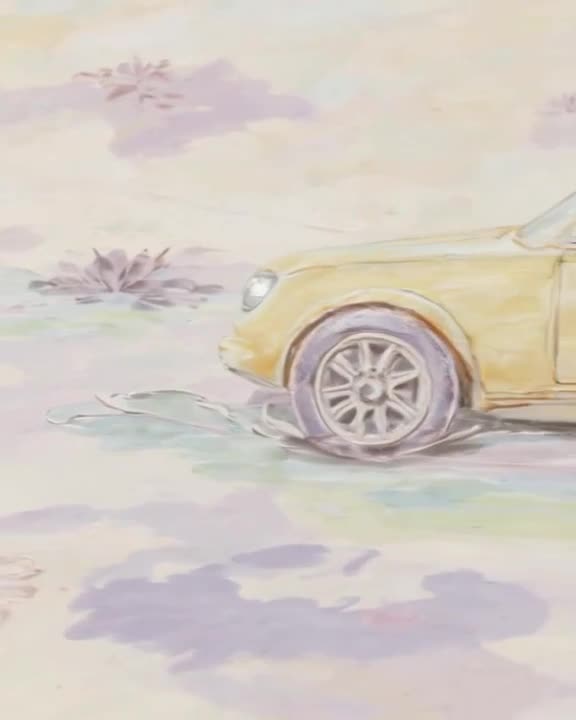
- "Stars twinkle, the painted river flows, brushstroke texture preserved, very subtle motion."
- "The character's cape flutters, lanterns sway, slow zoom in."
Old family photos
- "Gentle breathing movement, slight smile, very slow push-in." Keep motion minimal for faces.
Make it now — first 3 videos free
Then $1 per video, no subscription, no watermark.
Create a videoChoosing the right image
- Match the aspect preset to the photo. A tall portrait fits 9:16 or 4:5; a landscape fits 16:9. Mismatched shapes force cropping or odd extension.
- Sharp, well-lit sources animate better than blurry or tiny images.
- One clear subject is easier to animate than a crowded group photo.
- Leave room for motion. If the camera will push in or the subject will move, a bit of space around them helps.
More on the image workflow itself is on our image to video AI and photo to video AI pages.
Fixing common image-to-video problems
- Face changes or warps: reduce motion. Ask for small movements and a static or slow camera. Try Pro mode, which usually keeps faces steadier.
- Nothing moves: name specific moving elements ("steam rises", "leaves fall") rather than "make it alive".
- Product label distorts: avoid fast rotation; use a slow push-in or light moving across instead.
- Style drifts from the original: remove style words from the prompt; let the image define the look.
- Motion is too fast: add "slowly" and pick a longer clip length.
Turbo or Pro, and cost
Turbo is our fast option for testing how a photo reacts to motion. Pro is the quality option when faces, hands or fine texture matter. Both cost $1 per clip after your 3 free videos. Example: animating 10 product photos with one retry each is 20 clips, one $20 top-up. Clips appear in our public feed by default - Unpublish anything private, especially personal photos. Upload an image to start.
FAQ
What should I write in an image to video prompt?
Describe motion: what the subject does, what moves in the environment and how the camera moves. Skip describing appearance; the image sets it.
Why does my photo change too much when animated?
The prompt is probably redescribing the image or asking for big motion. Keep movements small and slow, and remove style words.
Which mode is better for animating faces?
Pro usually keeps faces more stable. Turbo is faster for testing ideas.
Can I animate old family photos?
Yes. Use very subtle motion prompts. Note that clips are public in our feed by default; you can Unpublish them.
How long can the animated clip be?
Up to 30 seconds per generation on paid videos; free videos are 3, 5 or 8 seconds.
Related