Free AI 3D Animation Generator: The Rendered Look Without a 3D Pipeline
Traditional 3D animation means modeling, rigging, texturing, lighting and waiting on renders. An AI 3D animation generator skips all of that for short pieces: describe a character or scene in a 3D style and get a 3-30 second clip (free videos: 3, 5 or 8 s) that looks rendered. It's worth being precise about what you get. The output is a flat MP4 video with a 3D look, not a 3D file; there's no model, rig or scene you can open in Blender afterward. For social clips, pitches, mood reels and concept tests, that's often all you need. Pick Turbo for quick drafts or Pro for quality, choose an aspect preset, and download without a watermark. Try a 3D-style prompt; 3 videos are free.
Style words that trigger the 3D look
The model has no "3D mode" switch; the look comes from the vocabulary in your prompt. These phrases pull clips toward a rendered style:
- Animated feature look: "stylized 3D animated character, soft global illumination, subsurface skin, big expressive eyes."
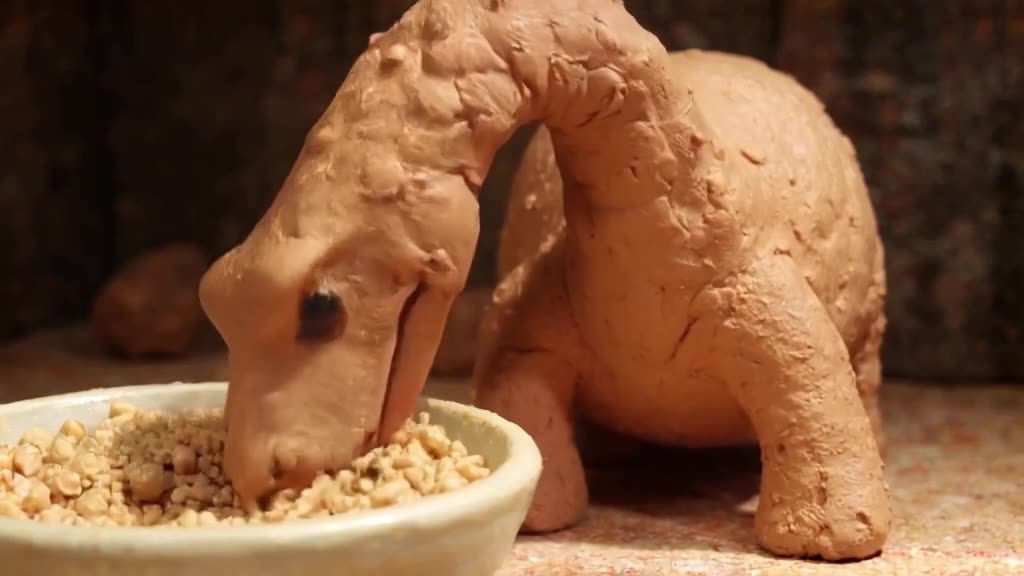
- Clay / stop-motion: "claymation style, visible fingerprints in the clay, miniature set, soft studio light."
- Low-poly: "low-poly 3D, flat shaded facets, pastel palette, isometric camera."
- Toy / vinyl figure: "glossy vinyl toy, plastic sheen, tabletop macro shot."
- Product render: "clean 3D product render, seamless gradient background, rim light, slow turntable rotation."
Avoid mixing styles in one prompt ("photorealistic claymation") or the result lands somewhere unconvincing in between.
Example prompts by project type
- Character short: A stylized 3D animated fox in a yellow raincoat splashing through puddles in a cobblestone village, soft global illumination, low tracking shot, overcast light.
- Claymation loop: Claymation style tiny chef tossing clay vegetables into a pot, visible fingerprints, miniature kitchen set, warm studio light, static camera.
- Low-poly scene: Low-poly island with a lighthouse, waves made of flat shaded facets, isometric camera slowly rotating, pastel sunset.
- Explainer visual: A 3D cutaway of a cartoon house showing tiny workers moving batteries between rooms, clean bright lighting, slow orbit.
- Product-style render: Glossy 3D headphones rotating on a turntable, seamless gradient background, rim light, slow 360 turn.
Make it now — first 3 videos free
Then $1 per video, no subscription, no watermark.
Create a videoWorkflow for a 3D-style sequence
- 1. Lock a style line. Write one phrase for the look ("stylized 3D animated, soft global illumination, warm palette") and paste it at the end of every prompt in the project.
- 2. Describe the character the same way each time. Same species, colors and clothing, word for word. Consistency between separate generations isn't guaranteed, but identical wording helps.
- 3. Storyboard on Turbo. Fast drafts tell you which shots work.
- 4. Final shots on Pro. Pro mode handles lighting, fur and material detail better.
- 5. For a fixed character design, use image-to-video. Render or draw one key frame, upload it, and animate from it. This keeps the design far more consistent across shots.
- 6. Assemble in an editor with music; clips can carry generated sound effects, or switch sound off and score the whole piece yourself.
Where it falls short (so you can plan around it)
- No 3D assets. You can't re-light, re-pose or change the camera after the fact; you regenerate instead.
- Short shots only. 3-30 seconds per clip. Longer pieces are edited sequences of shots.
- Hands and complex interactions (two characters passing an object) can glitch. Simplify the action.
- Exact continuity between clips is hard. Plan cuts so small differences don't jar: change the angle between shots.
- Readable text in the scene (a sign, a label on a box) often comes out garbled. Leave text out of the prompt and add titles in your editor.
For flatter 2D styles, the cartoon video generator and AI animation generator pages cover those looks.
Budget example
A 30-second 3D-style mood reel: about 6 final shots, each with 2 fast drafts before the quality render. 6 x 3 = 18 generations, or $18, just under the $20 minimum top-up, and the 2 left over don't expire. That's the whole cost: no software license and no render farm. Clips appear in our public feed by default; Unpublish anything you want kept private.
Generate your first 3D-style shot with the fox prompt above, or swap in your own character.
FAQ
Do I get a 3D model file I can edit?
No. You get an MP4 video with a 3D rendered look. There's no mesh, rig or scene file.
How do I keep a character consistent across clips?
Use the exact same character description in every prompt, or create one key image of the character and animate it with image-to-video.
Which mode is better for 3D-style clips?
Draft on Turbo for speed, then render finals on Pro, which handles lighting and materials better.
Can I make a full animated short?
Yes, by generating several 3-30 second shots and editing them together in a video editor, with generated sound or your own soundtrack.
Is there a watermark?
No, all downloads are MP4 without a watermark.
Related